Looking for a streaming solution that doesn’t leave you frustrated with buffering or limited channel options? You’re not alone. Xtream IPTV has become one of the most talked-about platforms for cord-cutters in 2026, and there’s a good reason why. It’s reliable, feature-rich, and surprisingly easy to set up once you know what you’re doing.
Whether you’re tired of expensive cable bills or just want more control over what you watch, this guide will walk you through everything you need to know about Xtream IPTV. We’ll cover how it works, what makes it different, and how to get the most out of your streaming experience.

What Is Xtream IPTV and Why Should You Care?
Here’s the thing: Xtream IPTV isn’t just another streaming app you download from an app store. It’s actually a comprehensive content management system that powers thousands of IPTV services worldwide. Think of it as the engine under the hood rather than the car itself.
What makes it special? The platform uses advanced streaming protocols to deliver live TV, on-demand content, and catch-up TV through your internet connection. No satellite dish required, no cable box cluttering your entertainment center. Just pure, digital streaming that works on virtually any device you own.
Most people don’t realize that when they’re using their favorite IPTV service, there’s a good chance it’s running on Xtream IPTV infrastructure behind the scenes. The platform handles everything from content delivery to user authentication, making it possible for providers to offer thousands of channels without the technical headaches.
The Core Features That Set It Apart
What really distinguishes Xtream IPTV from other streaming solutions? Let’s break it down:
- Multi-device compatibility: Watch on your smart TV, smartphone, tablet, or computer without missing a beat
- Electronic Program Guide (EPG): See what’s playing now and what’s coming up, just like traditional cable
- Catch-up TV functionality: Missed your favorite show? Go back and watch it within the catch-up window
- VOD library integration: Access movies and series on-demand whenever you’re ready
- Parental controls: Keep inappropriate content away from younger viewers
- Multi-language support: Navigate the interface in your preferred language
These aren’t just buzzwords on a feature list. They actually make a difference in your daily viewing experience. The EPG alone saves you from endlessly scrolling through channels trying to figure out what’s on.
How to Get Started with Xtream IPTV in 2026
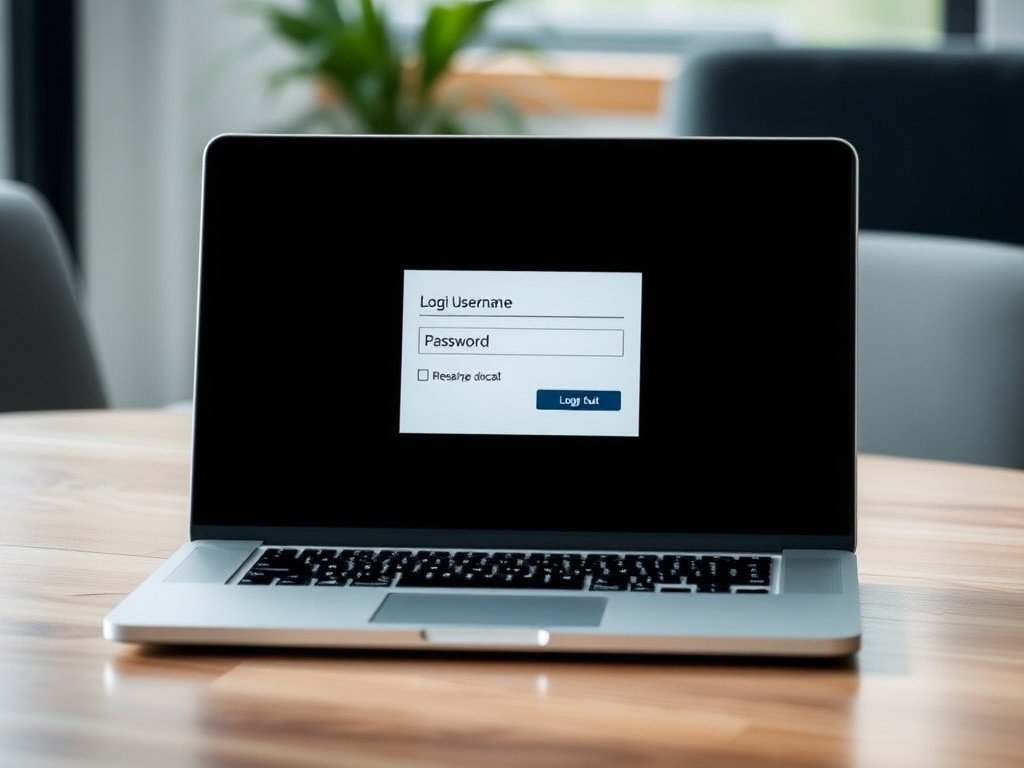
Ready to jump in? Setting up Xtream IPTV is more straightforward than you might think. You’ll need three things: a compatible device, a stable internet connection (at least 10 Mbps for HD content), and valid login credentials from your IPTV provider.
First, you’ll want to choose an IPTV player that supports the Xtream Codes API. Popular options include IPTV Smarters Pro, TiviMate, and GSE Smart IPTV. Each has its own strengths, but they all connect to the same Xtream IPTV backend.
Step-by-Step Setup Process
Let’s walk through this together:
- Download your preferred IPTV player from your device’s app store or official website
- Open the app and select “Add New User” or “Login with Xtream Codes”
- Enter your server URL (provided by your IPTV service)
- Input your username and password (also provided by your service)
- Wait for the app to load your channel list (this might take a minute or two)
- Customize your interface by organizing favorite channels and adjusting settings
- Start streaming! Browse through your available content and enjoy
The whole process typically takes less than five minutes. If you’re having trouble connecting, double-check that you’ve entered your credentials correctly. Most connection issues come down to typos in the server URL or username.

Choosing the Right IPTV Provider for Xtream IPTV
Not all IPTV services are created equal, even if they’re running on the same Xtream IPTV platform. The provider you choose makes a huge difference in your streaming quality and overall experience.
When you’re shopping around, look at factors like channel selection, streaming reliability, customer support responsiveness, and pricing structure. A provider might offer 10,000 channels, but what good is that if half of them buffer constantly?
Check out Xtream IPTV for a service that prioritizes quality over quantity. They’ve built their reputation on consistent uptime and crystal-clear streams rather than inflated channel counts.
What to Look for in a Quality Provider
| Feature | Why It Matters | What to Expect |
|---|---|---|
| Server Uptime | Determines reliability | 99%+ uptime guarantee |
| Streaming Quality | Affects viewing experience | HD/4K options available |
| Channel Selection | Content variety | Realistic, quality-focused lineup |
| Customer Support | Help when you need it | 24/7 availability via multiple channels |
| Trial Period | Test before committing | 24-48 hour trial options |
| Payment Flexibility | Budget management | Monthly, quarterly, annual plans |
Don’t be fooled by providers advertising impossibly large channel counts. What matters more is having the channels you actually want to watch, delivered without buffering or pixelation.

Maximizing Your Xtream IPTV Experience
You’ve got everything set up, but are you really getting the most out of your Xtream IPTV subscription? Here are some tips that’ll level up your streaming game.
Start by organizing your channel list. Most IPTV players let you create favorite groups, so you’re not scrolling through hundreds of channels to find the handful you watch regularly. Take 10 minutes to set this up, and you’ll save hours over the coming months.
Next, explore the EPG settings. You can usually customize how far ahead the guide displays, adjust time zones, and even enable notifications for specific shows. It’s like having a personal TV assistant that keeps track of what you want to watch.
Performance Optimization Tips
- Use a wired connection when possible: WiFi is convenient, but Ethernet delivers more stable speeds
- Close background apps: Free up bandwidth by shutting down apps you’re not using
- Adjust buffer settings: Increase buffer size if you experience frequent pauses
- Keep your player updated: Developers regularly release performance improvements
- Test different servers: Some providers offer multiple server options for better routing
Want to see exactly what channels are available before committing? Browse the detailed channels list to understand what you’re getting with different subscription tiers.
Understanding Xtream IPTV Pricing and Plans
Let’s talk money. How much should you expect to pay for quality Xtream IPTV service in 2026? The answer varies widely depending on what you’re looking for.
Budget services might run $10-15 per month, but you’ll often get what you pay for in terms of reliability and support. Mid-tier services typically range from $15-25 monthly, offering better stability and more responsive customer service. Premium providers can charge $25-40 monthly but usually deliver exceptional quality and comprehensive channel lineups.
Here’s what surprises most people: the most expensive option isn’t always the best value. You’re better off paying a bit more for a reliable service that actually works than constantly switching between cheap providers that disappoint.
Check out the competitive our rates to see how transparent pricing should look. No hidden fees, no surprise charges after the trial period ends.
Subscription Length Considerations
Most providers offer discounts for longer commitments. You might save 20-30% by paying annually instead of monthly. But should you?
If you’re new to Xtream IPTV, start with a monthly subscription or trial period. Get comfortable with the service, make sure it meets your needs, and then consider a longer-term plan once you’re confident. Nobody wants to be locked into a year-long subscription with a provider that doesn’t deliver.
For additional information on reputable IPTV services and what to look for, BuyIPTV offers valuable resources and comparisons that can help inform your decision.

Troubleshooting Common Xtream IPTV Issues
Even the best Xtream IPTV setups run into occasional hiccups. Let’s tackle the most common problems and their solutions.
Buffering or freezing streams? This is usually a bandwidth issue. Run a speed test while streaming to see if you’re getting the speeds you’re paying for. If your internet is fine, try switching to a different server or adjusting your buffer settings in the player app.
Channels won’t load at all? First, verify your subscription is still active. Then check that your login credentials haven’t changed. If everything looks good on your end, your provider might be experiencing server issues. Reach out to their support team for updates.
EPG not displaying correctly? This often happens after time zone changes or when EPG data needs refreshing. Force an EPG update in your player settings, and make sure your device’s time and date settings are accurate.
When to Contact Support
Don’t waste hours trying to fix issues that require provider-level intervention. If you’re experiencing persistent problems across multiple devices, seeing error messages about authentication, or noticing widespread channel outages, contact your provider’s support team immediately.
Quality providers respond quickly and keep you informed about any ongoing issues. If you’re getting radio silence or unhelpful responses, that’s a red flag about the service you’ve chosen.
The Future of Xtream IPTV Technology
Where is Xtream IPTV heading as we move through 2026 and beyond? The trajectory looks pretty exciting.
We’re already seeing broader adoption of 4K streaming, with some providers beginning to test 8K capabilities for future-proofing. Artificial intelligence is being integrated into recommendation engines, helping you discover content you’ll actually enjoy rather than just showing you what’s popular.
Interactive features are expanding too. Imagine being able to watch multiple camera angles during live sports, or instantly accessing player stats without leaving the stream. These capabilities are being built into newer versions of the Xtream IPTV platform right now.
Cloud DVR functionality is becoming more sophisticated, with some providers offering unlimited storage for recordings. That means you can build your own on-demand library without worrying about running out of space.
Making the Switch to Xtream IPTV
If you’ve made it this far, you’re probably seriously considering making Xtream IPTV your primary entertainment solution. That’s a smart move, especially with cable prices continuing to climb in 2026.
Start by calculating what you’re currently spending on cable or satellite. Then compare that to what you’d pay for a quality IPTV subscription. For most people, the savings are substantial—we’re talking hundreds of dollars per year while gaining more flexibility and features.
Don’t rush into a decision, though. Take advantage of trial periods when they’re available. Test the service during peak evening hours when you’ll actually be watching. Make sure it delivers on the channels and quality you need before committing long-term.
Remember, the best streaming setup is the one that fits your specific needs and budget. There’s no one-size-fits-all solution, but with the information in this guide, you’re equipped to make an informed choice about whether Xtream IPTV is right for you.
Ready to take the next step? The world of cord-cutting is more accessible than ever, and with the right provider and setup, you’ll wonder why you didn’t make the switch sooner.